Update and Uninstall
How to uninstall Small BIM PRO and update to a new version
NEW
Version 2.1.0+ — Updated Update & Uninstall
Starting from version 2.1.0, the update and uninstall process has been updated. Watch the video below for the latest instructions.
View previous update & uninstall guide (before v2.1.0)
1
Uninstall (add or remove programs)
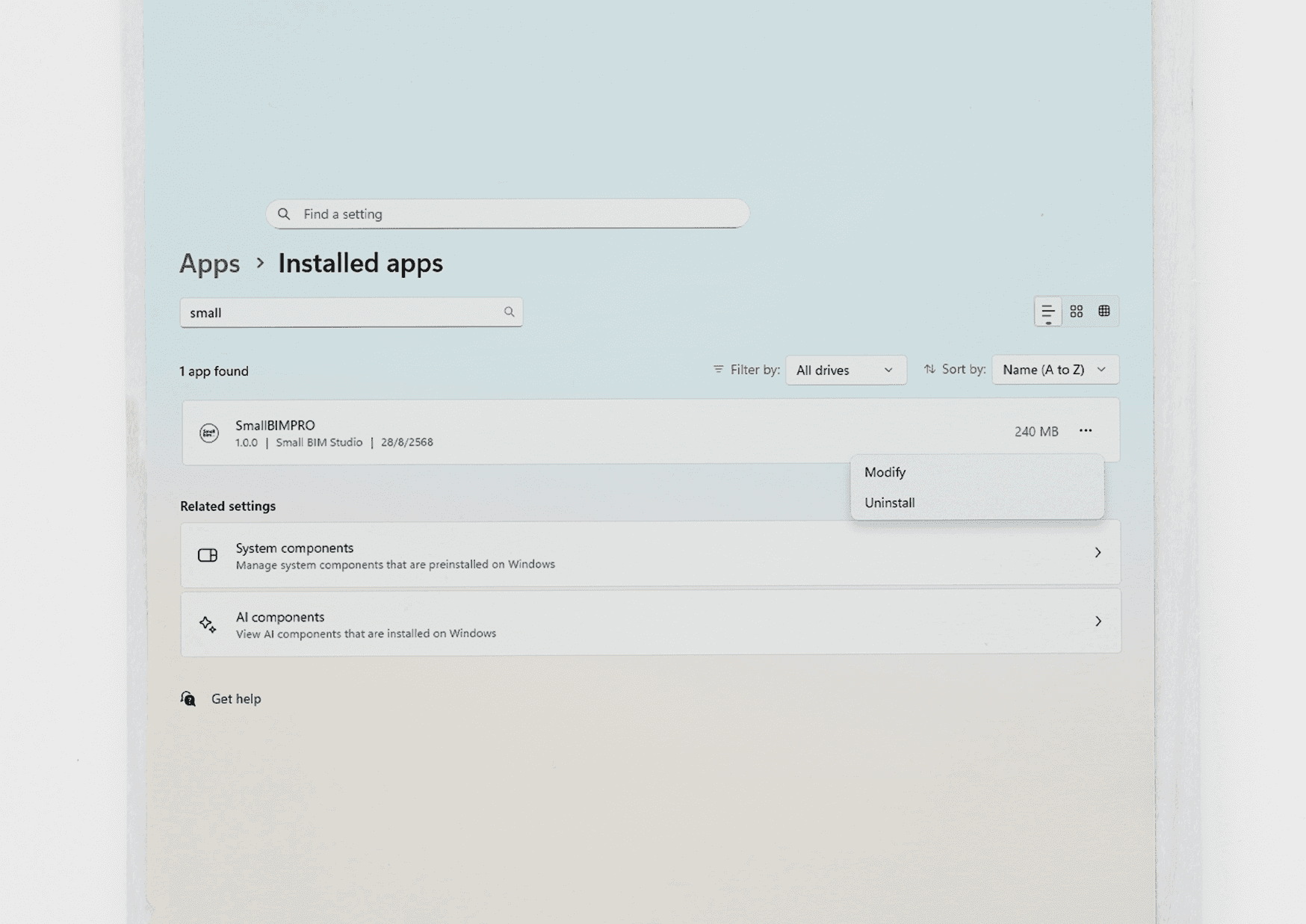
1. Open the add or remove programs window.
2. Search for Small BIM PRO and click Uninstall.
3. Click Uninstall.
Note: If you cannot find the add or remove programs window, press the Windows key and search for "add or remove programs".
2
Uninstall (Small BIM PRO - Installer)
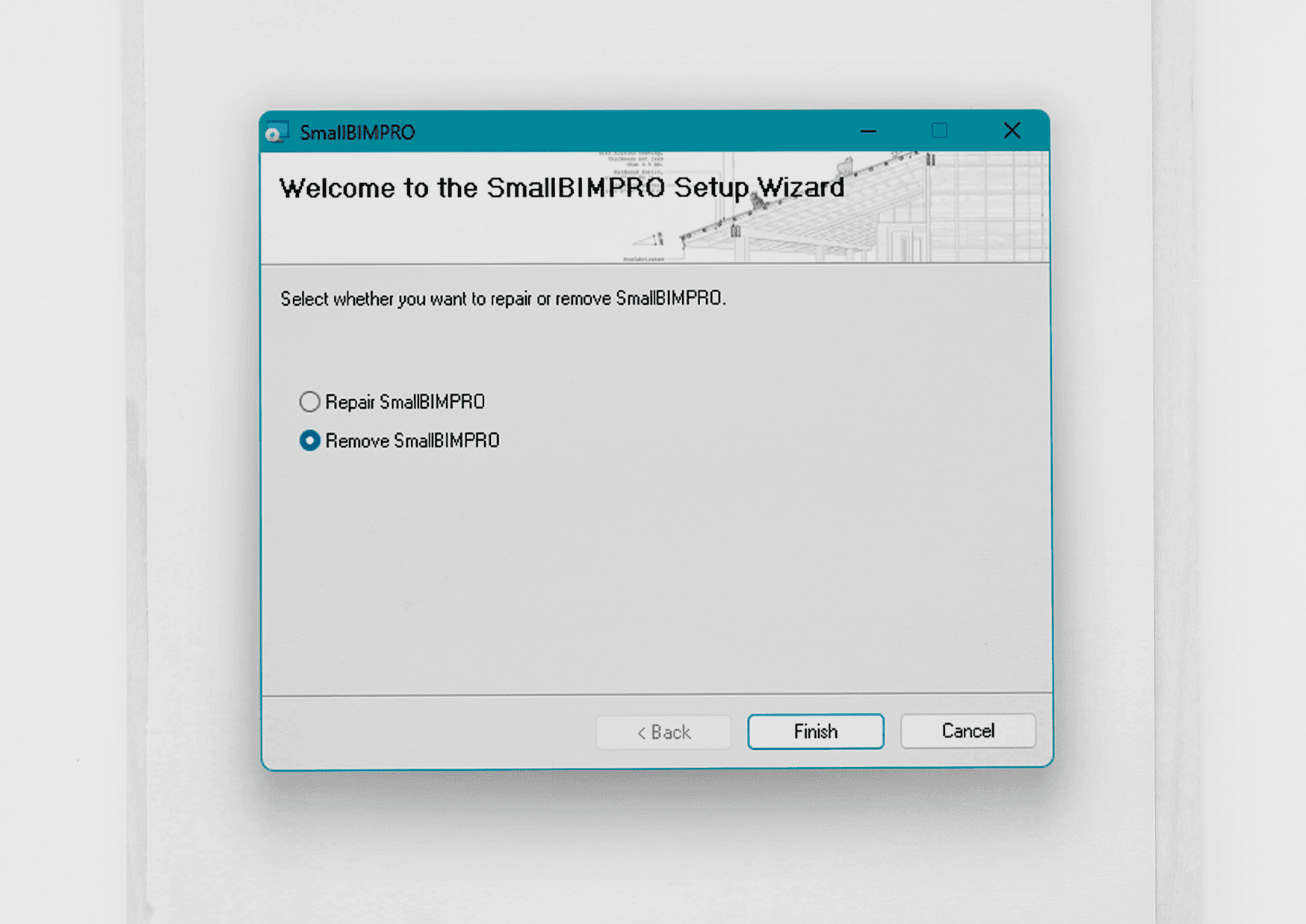
1. Uninstall via the Small BIM PRO - Installer.
2. Select Remove SmallBIMPRO and click the Finish button to uninstall.
Note: You must use the same installer as the version you installed. When updating to a new version, always uninstall the previous version first to prevent errors.
Troubleshooting / Common Issues
- Tab not visible after installation: Check Admin privileges / Restart Revit / Unblock the file
- .addin not loading: Check the folder
%APPDATA%\Autodesk\Revit\Addins\20XX - License not working: Check for typos/spaces and verify internet connection (if required)