BOQ — User Guide
User guide for the BOQ command — quantity takeoff and cost estimation from a Revit model in one simple, accurate workflow.
Example Project — Using BOQ with the sample file
- Open the sample Revit model file to test the BOQ command
- Once the sample file is open, run the BOQ command
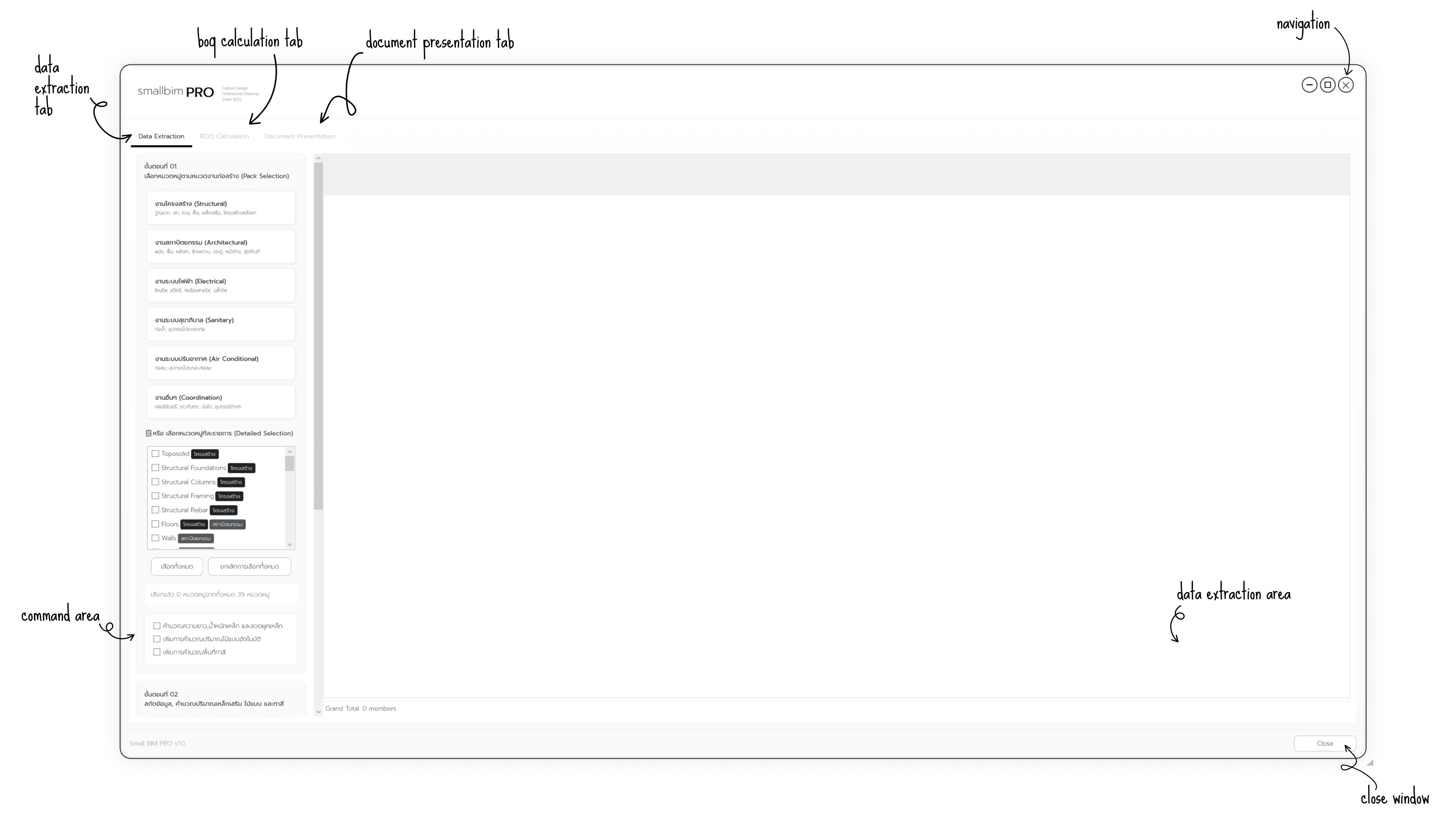
- Data Extraction — extract all data from the model
- BOQ Calculation — calculate all quantities and costs
- Document Presentation — generate a BOQ PDF document
New Project — Using BOQ with a new file
- Create a new project using the RSB-PROFESSIONAL Template
- Model the required work categories
- Design and model while using the BOQ command to control the budget
- Data Extraction — extract all data from the model
- BOQ Calculation — calculate all quantities and costs
- Document Presentation — generate a BOQ PDF document
Other Projects — Using BOQ with existing files
- Open the existing Revit model file
- Bind all required data to the project. See details at Data Preparation
- Assign Keynote and Type Comment to every model element, or use the Model Data Management command
- Data Extraction — extract all data from the model
- BOQ Calculation — calculate all quantities and costs
- Document Presentation — generate a BOQ PDF document